How to use TimeNinja effectively: an ADHD power-user guide
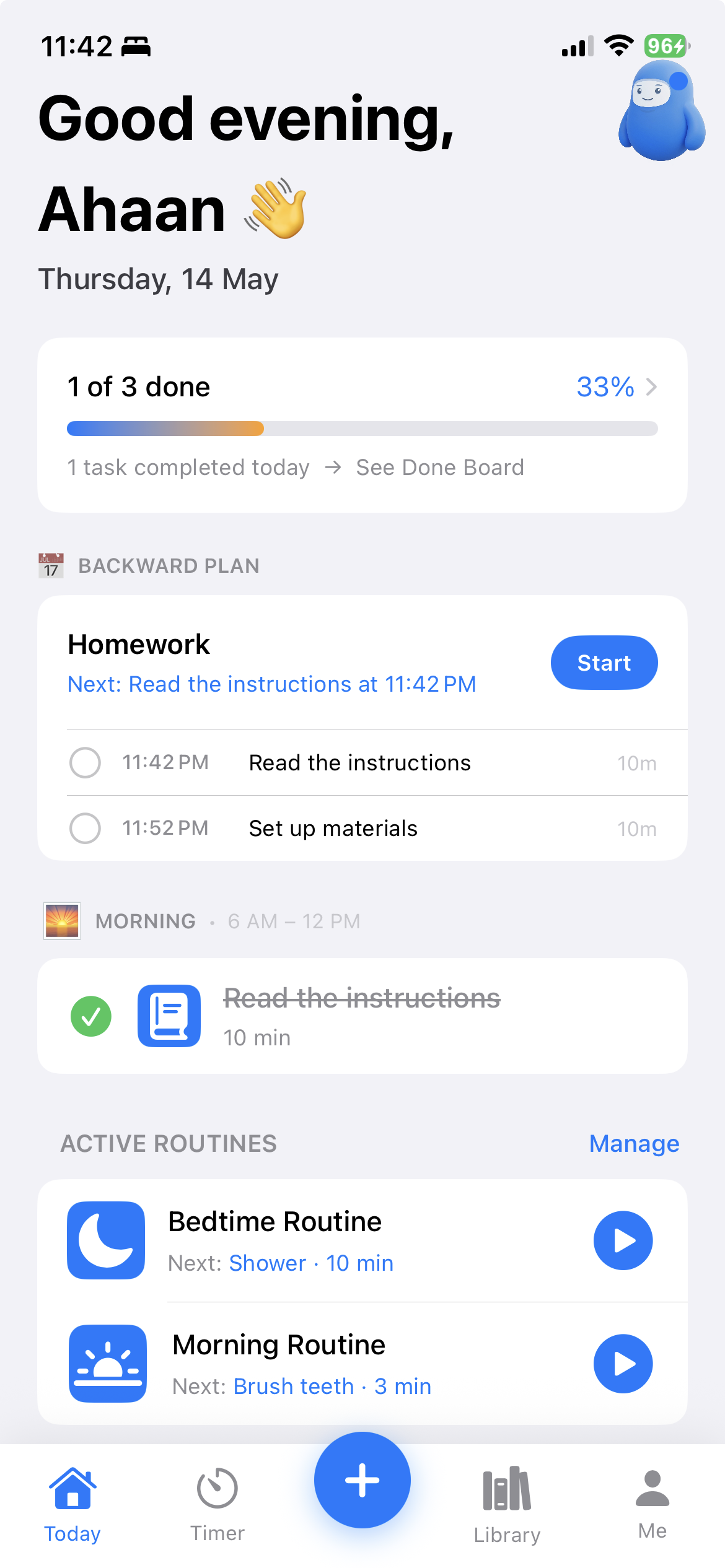
Most ADHD apps fail the same way: you download them in a burst of motivation, use them hard for four days, then forget they exist. TimeNinja is designed to survive that pattern — but you'll get far more out of it if you use it the way it was built to be used.
This is the difference between "I have a timer app" and "I finally know how long my mornings actually take." If you just want the button-by-button mechanics, start with the quick-start guide. This article is about using it well.
Everything below maps onto one loop the whole app is built around: Capture → Plan → Execute → Learn. Seven habits, in the order they'll start helping you.
1. Time everything — especially the small stuff
The single highest-value habit is also the most counter-intuitive: run a timer on tasks you think are "too small to bother." Replying to one email. Loading the dishwasher. Getting dressed.
Why? Because time blindness hits hardest on small, repeated tasks — the ones you swear take "two minutes" and actually take twelve. Each timed session feeds your private Real Time Library. After about five runs of the same task, you get a real 25–75% variability band — not an average, a range. That range is the truth your gut can't see.
Don't aim for accuracy on day one. Aim for volume of data. The accuracy comes from the app, later, for free.
2. Tell the truth about overtime
This is the habit that separates a useful library from a useless one. When a timer hits zero, you get two choices: I need more time or Done.
The instinct is to hit "Done" to feel finished. Resist it if you're not actually done. Tap I need more time instead — the ring turns orange and counts your overtime upward. When you genuinely finish, then tap done. The real duration gets logged.
This matters because of how ADHD brains weigh the immediate over the accurate. A library full of fake "on-time" finishes will keep lying to you forever. Five honest overtime logs will quietly fix your estimates for that task for good. TimeNinja will never mark something "on time" for you automatically — that's deliberate.
3. Plan backwards from real deadlines
For anything with a hard end time — leaving for work, a 9 a.m. meeting, school pickup, a flight — don't make a to-do list. Use the center + tab to plan backwards.
You enter the deadline and the steps in the order you'll do them; the app does the subtraction and tells you the one thing that actually matters: when to start the first step. For an ADHD brain, "leave at 8:00" is useless. "Start packing your bag at 7:34" is actionable. That's the whole trick.
Power-user tip: build your recurring "leave the house" plan once, then reuse it. The start times re-calculate against today's deadline automatically.
4. Let routines run — but watch the overtime nudge
Routines (morning, after-school, bedtime) are for sequences you repeat. The point is momentum: the app decides what's next so you don't have to — the externalisation principle in action.
When a step's timer ends, the routine pauses for a few seconds and shows a Not done yet button before it auto-advances. Two ways to use this well:
- Do nothing when you're on track — let it roll to the next step and keep the rhythm. This is the default for a reason.
- Tap "Not done yet" when a step genuinely runs long (the shower that always overruns). It switches to an overtime count and logs the real time, so your routine data reflects reality instead of pretending every step fit its slot.
Over a couple of weeks this tells you something useful: which routine step is the actual bottleneck. Usually it's not the one you'd guess.
5. Rate overwhelm — it's one tap and it's the point
After a session, a 1–5 overwhelm rating appears (😌 to 🌀). It's skippable and never shame-y, but try to tap it. Lateness and completion measure your output; overwhelm measures your experience — and for ADHD, sustainable beats fast.
This is the same metric clinicians use in single-subject research. It's what makes the app's N-of-1 self-experiment features work: you can later see whether backward planning actually lowers your overwhelm, using your own data instead of a stranger's opinion.
6. Read Progress and Calibrate weekly
Once a week, open Me → Progress. You'll see your overwhelm trend, a lateness chart, and a with vs without backward planning comparison built from your sessions. It's a mirror, not a scoreboard — there's no streak to break and no grade.
Then open Me → Calibrate Estimates. When your real times consistently differ from your estimates, the app suggests a correction ("5 min → 2 min"). One tap updates the routine or task. This is the productivity audit running itself in the background — the loop closing from Learn back to Plan.
7. Break it down before you stall
If a task feels vague or heavy — "clean kitchen", "write report" — you'll hit task-initiation paralysis before you start. Don't push through it; pre-empt it.
Use Break It Down (from the Library tile, or long-press an existing task). Type the task, tap the scissors, and get 3–6 concrete steps you can start individually. The breakdown runs on-device, so nothing leaves your phone. Then start the first step — initiation friction drops because "clean kitchen" became "clear the sink, 5 min."
Your first two weeks, realistically
- Days 1–2: Set up a morning and a bedtime routine. Run each once. Don't optimise — just generate data.
- Days 3–5: Time small tasks aggressively. Hit "I need more time" honestly whenever it applies.
- Day 6: Try one backward plan for something with a real deadline.
- Day 7: Open the Library. Your first variability bands are forming.
- Week 2: Open Progress and Calibrate. Accept one or two estimate corrections. Notice the suggestions getting sharper — they're built from you now.
Three mistakes that waste the app
- Only timing "important" work. The small repeated tasks hold most of your hidden time. Time those too.
- Hitting "Done" when you're not done. One dishonest log poisons that task's estimate. Overtime is data, not failure.
- Chasing a perfect streak. There's intentionally no streak counter. A missed day is a missed day, not a reset. Just open the app again.
The bottom line
TimeNinja gets more useful the more honestly you feed it. Time the small stuff, log overtime truthfully, plan backwards from real deadlines, and let the weekly Progress and Calibrate views do the thinking. Within two weeks the app stops guessing and starts reflecting your actual relationship with time — which, for most ADHD adults, is the first time they've ever seen it clearly.
Download TimeNinja — free 7 days
Related reading
- TimeNinja quick-start guide — the button-by-button basics for your first 60 seconds.
- The Capture → Plan → Execute → Learn loop — the method the whole app is built on.
- Why variability beats averages — how your timing data turns into self-knowledge.
- Hyperfocus and lost hours — what the gentle "still on track?" check-in is for.