The Real Time Library: why variability beats averages for ADHD planning
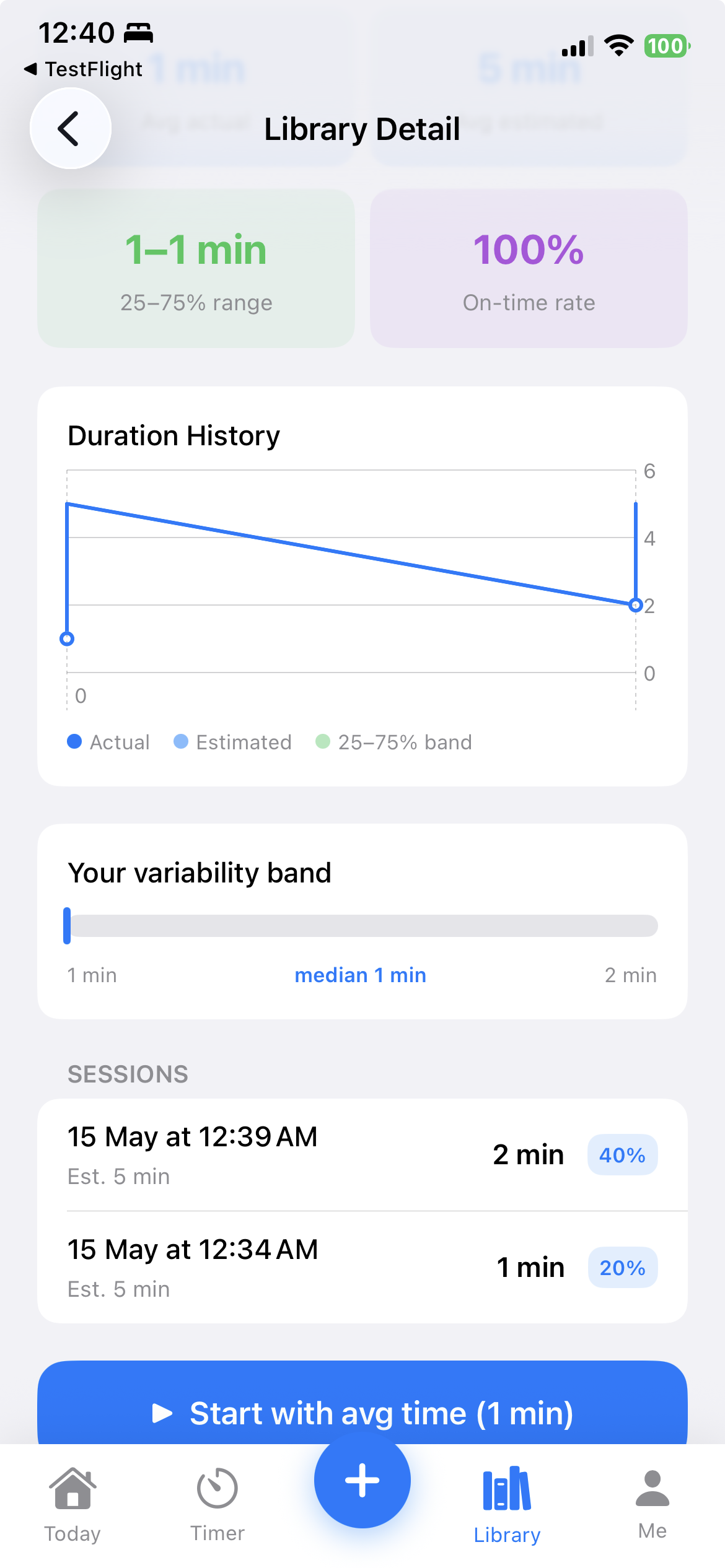
Here's the problem with telling an ADHD adult "the average shower takes 8 minutes." Their last seven showers took 6, 9, 22, 7, 14, 31, and 9 minutes. The average is 14. The truth is closer to "anywhere between 7 and 22 minutes, with a one-in-seven chance of an hour-long sensory hyperfocus."
If you plan with the average, you're wrong almost every time. If you plan with the range, you start matching reality.
Why ADHD timing is variable, not slow
A common misconception is that ADHD makes everything take longer. The research tells a different story. Meta-analytic evidence on timing in ADHD shows the core issue is variability — inconsistent performance from one trial to the next — not a systematic slowdown. Some days the task takes 10 minutes; other days it takes 40.
This is why averages fail. An average smooths over the variance you actually need to plan around.
What a Real Time Library actually stores
For each activity you repeat, your Library records:
- Estimated time — what you guessed before you started
- Actual time — measured by the timer, including any "Keep Going" overtime
- Distraction count — how many times you tagged getting off-track
- Date stamp — for trend analysis if you want it
Over weeks, this becomes a personal dataset that's far more accurate than any productivity book's generic advice.
The 25–75% variability band — why this specific range
The interquartile range (25th–75th percentile) is the middle half of your sessions. It excludes the unusually-good days (you were on meds, well-slept, motivated) and the unusually-bad days (you were sick, distracted, in hyperfocus loop). What's left is your typical performance.
If your "morning routine" has a 25–75% band of 35–55 minutes:
- Plan for 55 if you need to be reliably on time
- Plan for 45 if you can absorb 10 minutes of slippage
- Never plan for 35 — that's your best-case fantasy
Why this changes everything about planning
Backward planning only works if your step durations are real. Garbage in, garbage out. With a Real Time Library feeding your backward plan:
- Your start times become trustworthy
- You stop missing deadlines by 30 minutes
- You start matching real-world expectations (school pickup, meetings, transit)
- The shame loop ends — because you finally have a plan that's possible
How TimeNinja builds your Library automatically
Every time you complete a timer in TimeNinja — whether it's a routine step, a backward-planned task, or a one-off Quick Task — the actual duration logs to your Library. After 2–3 sessions of any repeated activity, you'll see:
- An "Avg" badge on the activity card
- A "Usually X–Y min" range once you have 5+ sessions
- The full 25–75% band on the detail screen
- Auto-suggested durations when you re-add the activity
You never have to journal, review, or self-report. The data accumulates passively.
What to do with the data
1. Replace gut estimates with library values
When TimeNinja's Quick Add suggests "Avg 14 min" for "make breakfast" — trust it, not the 8-minute fantasy in your head.
2. Notice tasks with huge variability
If your "respond to email" sessions range from 5 to 60 minutes, that's a task category that needs scoping. "Respond to ONE email" might give you a tighter band.
3. Catch hyperfocus tasks
Activities with a long upper tail (e.g. "design work" usually 30 min, sometimes 180) are hyperfocus risks. Set an explicit hard stop before starting.
4. Plan with the 75th percentile for high-stakes deadlines
For "must be on time" events (school pickup, flights), use the upper bound. You'll arrive early sometimes; you'll never be late.
This is the differentiator
Most ADHD apps stop at "build a routine" or "set a timer." None of them close the loop by feeding what actually happened back into the next plan. That's why every plan from those apps feels exactly as unreliable on day 30 as it did on day 1.
Your Real Time Library is what makes the Capture → Plan → Execute → Learn loop a loop. Without it, you're back to forward planning with gut estimates.
Once you've collected two weeks of timing data, your Library becomes the input for something bigger: the ADHD productivity audit. The audit pairs lateness with completion rate and overwhelm so you can finally answer the question "is what I'm doing actually working?" — with your data, not anyone else's advice.
Start building your Real Time Library
Fill it faster: how to use TimeNinja effectively covers the habits that make your timing data accurate.